
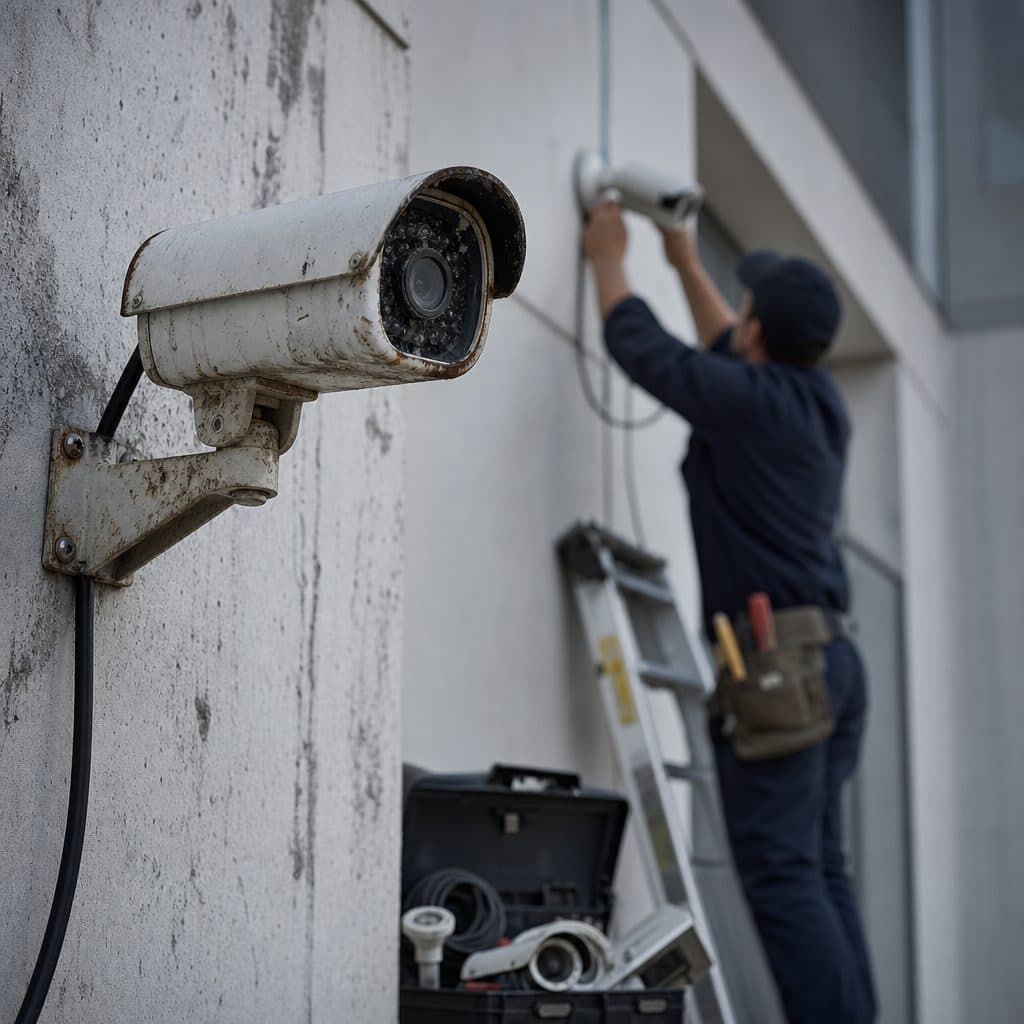
The Real Problem With Cheap Camera Systems
A cheap camera system rarely fails all at once. It usually disappoints in small ways: fuzzy footage, missed motion, unstable apps, weak night images, slow searches, and equipment that cannot grow with the business. The first invoice looks attractive, but the real cost appears later, when an incident happens and the video does not answer the basic questions: who was there, what happened, when did it happen, and how can we prove it?
This article explains why low-cost cameras often become expensive over time and how business owners can avoid that trap. You will see where the hidden costs come from, what a better system should include, and how to evaluate proposals without paying for unnecessary features.
 Good design starts with usable evidence, not cheap hardware.
Why the Lowest Price Creates Hidden Costs
The purchase price is only one part of a camera system. Long-term cost includes installation quality, network stability, storage, software updates, service calls, staff time, and the value of usable evidence. Cheap packages usually reduce the visible price by cutting corners in several of those areas. They may still record video, but they often make everyday security work slower, less reliable, and harder to manage.
Common shortcuts in budget systems
- Lower quality lenses and image sensors that struggle with glare, distance, and low light.
- Limited storage that overwrites footage before anyone realizes it is needed.
- Consumer grade apps that are not built for multiple users, locations, or permission levels.
- Weak mounting, cabling, or weather protection that leads to early replacement.
- No documented support plan when cameras go offline or recording stops.
The Costs You Feel After Installation
Cheap systems tend to shift cost from the project budget to operations. Instead of paying for planning, configuration, and proven hardware up front, the business pays later through lost time, repeat troubleshooting, replacement equipment, and unresolved incidents. These costs are harder to track because they do not arrive as one clean invoice.
Operational cost
When video is difficult to search, managers spend more time reviewing footage. If remote access is inconsistent, employees create workarounds or stop checking the system. If cameras drop offline, someone must discover the issue, call support, and verify recording has resumed.
Replacement cost
Low-cost cameras may be acceptable in simple homes, but businesses often need stronger housings, better warranties, dependable storage, and a platform that can handle growth. If the system must be replaced after a short period, the company pays twice for hardware and often pays again for labor.
Incident cost
The most expensive failure is unusable evidence. A camera that points at the wrong angle, records too few frames, or cannot capture faces under real lighting may not help during theft, workplace disputes, vehicle damage, or liability questions. In those moments, the savings disappear quickly.
 Camera value depends on placement, storage, network health, and support.
What a Quality Camera System Does Differently
A better system is not simply more expensive. It is designed around outcomes: deterrence, real-time awareness, clear evidence, fast retrieval, and dependable service. The right design considers the site layout, lighting, network, retention needs, user permissions, and future expansion. It also defines who maintains the system after installation.
Clear coverage goals
Each camera should have a purpose, such as faces at entrances, license plate context at gates, or activity overview in work areas.
Reliable recording
Storage should match retention expectations, resolution, frame rate, and business risk, rather than a vague promise that footage is saved.
Managed access
Owners need user accounts, permissions, audit awareness, and secure remote viewing that can be changed when staff roles change.
Serviceable design
Good cabling, labels, documentation, and support procedures make future troubleshooting faster and less disruptive.
The goal is not to buy the most complicated system. The goal is to buy the simplest system that reliably meets the security task. That distinction protects budgets because it reduces waste while avoiding false savings that create later problems.
How Cheap Systems Fail in Real Business Conditions
Camera kits can look similar online, but business environments expose differences quickly. A warehouse with high ceilings, a restaurant with changing light, an office with multiple entrances, and a yard with weather exposure do not need the same setup. Cheap systems are often sold as universal solutions, which is where many problems begin.
Image quality is not just resolution
High resolution helps only if the camera also handles motion, contrast, lens choice, and lighting. A low-cost camera may advertise sharp images, then struggle when a person walks through backlighting or when headlights hit the scene at night. Real image quality is proven in the actual viewing conditions.
Networks become part of the system
Modern cameras depend on switches, power, cabling, internet access, and cybersecurity practices. When budget installs ignore the network, video can lag, disconnect, or become difficult to access remotely. Businesses should treat cameras as a technology system, not as isolated devices screwed to a wall.
Storage decisions determine usefulness
Storage is easy to underestimate. Higher resolution, more cameras, continuous recording, and longer retention all require capacity. If the recorder is undersized, footage may be overwritten too soon or quality may be reduced to save space. Either choice can weaken the system when evidence is needed.
A Practical Evaluation Checklist Before You Buy
Use a checklist before comparing quotes. If two proposals include different assumptions, the lower price may not be the better value. Ask each vendor to explain the design, not just the equipment list.
Step-by-step buying process
- Define the security goals for each area: deterrence, identification, overview, safety, or investigation.
- Walk the site during normal conditions and after dark when lighting changes.
- Decide how long footage should remain available based on business risk and operations.
- Confirm camera locations, mounting height, viewing angle, and protection from weather or impact.
- Review network capacity, power needs, cable routes, and remote access requirements.
- Ask how users are added, removed, and assigned permissions.
- Request a sample view or demonstration when image quality is critical.
- Verify what is included in installation, training, documentation, and cleanup.
- Clarify warranty terms, response expectations, and the process for service calls.
- Compare total system value, not only camera count or recorder size.
💡 Tip: If a proposal cannot explain why each camera is placed where it is, the design is probably not finished.
This process does not require deep technical knowledge. It requires disciplined questions. A good provider should welcome those questions because they lead to better expectations, fewer surprises, and a system that is easier to support.
Where Spending More Usually Makes Sense
Not every location needs premium hardware. Spending more makes sense where failure would create meaningful loss, where conditions are difficult, or where footage must support decisions. The following areas often justify stronger design and better components.
| System area | Why it matters | Better choice |
|---|---|---|
| Entrances and exits | Faces, time, and direction of travel are often critical. | Cameras selected for identification, not only wide views. |
| Cash handling or inventory areas | Evidence quality affects investigations and accountability. | Reliable recording, correct angles, and clear lighting. |
| Outdoor spaces | Weather, glare, distance, and night conditions are demanding. | Proper housings, lens choices, and tested night performance. |
| Multiple locations | Management becomes harder without consistent tools. | A platform with user permissions and standard procedures. |
The right spending level is tied to risk. A back hallway may need a basic overview camera. A front entrance may need a better lens, better placement, and testing at different times of day.
Risks and Mistakes to Avoid
Many camera projects go wrong for predictable reasons. Avoiding these mistakes is often cheaper than correcting them after the system is installed and employees have already lost confidence.
Mistake: buying by camera count
More cameras do not automatically mean better coverage. Ten poorly placed cameras can produce less useful evidence than six well-planned cameras. Buy coverage and clarity, not a large number on a box.
Mistake: ignoring lighting
Lighting changes throughout the day. Sun glare, reflective glass, dark corners, and vehicle headlights can defeat budget cameras. Test key views under the conditions that matter most.
Mistake: skipping training
A system that only one person understands becomes fragile. Staff should know how to search footage, export clips, report issues, and request access changes. Training is part of the system, not an optional extra.
How to recover from a poor system
Start with an audit before replacing everything. Identify which cameras are useful, which views fail, whether the recorder is undersized, and whether network issues are causing outages. Sometimes targeted upgrades solve the problem. Other times, replacement is less costly than continuing to patch weak equipment.
Recommended Actions for a Long-Term Investment
A camera system should be treated like business infrastructure. It protects people, property, operations, and decisions. Use the following actions to keep cost under control while improving reliability.
- Create a written scope that defines areas, goals, retention, and access needs.
- Prioritize critical views first, then add lower-risk coverage as budget allows.
- Choose equipment that can be serviced, expanded, and documented.
- Plan for maintenance, including firmware updates, cleaning, and periodic view checks.
- Keep admin access controlled, with named users instead of shared passwords.
- Document camera names, locations, network details, and support contacts.
- Schedule a review after changes to the building, lighting, staffing, or operations.
✅ Success: The best long-term value comes from a system that is designed, documented, maintained, and understood by the people who use it.
These actions reduce the chance of surprise spending. They also make future upgrades easier because the business knows what it owns, why each camera exists, and how the system is supposed to perform.
A Short Decision Framework
When comparing options, avoid asking only, “Which system is cheapest?” A better question is, “Which system will still be useful when we need it most?” Use this framework.
- If the area is low risk and easy to view, a basic camera may be enough.
- If the area is critical, pay for proven image quality and correct placement.
- If footage must be found quickly, prioritize software usability and storage planning.
- If the site will grow, choose a platform that can expand without starting over.
- If support matters, confirm who responds, how issues are reported, and what is covered.
The lowest price is reasonable only when it still meets the required outcome. If it cannot provide reliable evidence, practical access, and supportable operation, it is not a bargain. It is a deferred expense waiting for the first serious incident or technical failure.
What to Ask Security Providers
Before signing, ask providers to explain their assumptions in plain language. What problem is each camera solving? How many days of footage are expected under normal recording settings? What happens if a camera goes offline? Who can view, export, or delete video? How will access change when an employee leaves? What parts of the installation are covered if a cable, connector, power supply, or recorder fails?
A strong answer will connect design choices to business outcomes. A weak answer will focus only on camera count, megapixels, or a limited promotion. Assumption: your site has typical business needs, not specialized regulatory or high-security requirements. If your organization has industry-specific obligations, legal counsel and your insurance advisor should be involved before final decisions are made.
Keep notes from these conversations. They create a useful record of expectations and make it easier to compare proposals fairly, especially when prices are far apart. Do not rely on memory.
Talk Through the Right Camera System Before You Buy
Security & Life Integrations can help you think through coverage, recording, access, and support before you commit to equipment. Start with a practical conversation about your site, risks, and budget.
Request a Camera System Review