
Signs Your Commercial Security Cameras Need to Be Replaced
Commercial security cameras are easy to ignore when they are still recording something. The problem is that “something” may not be enough when you need to identify a person, verify an incident, support an insurance claim, or understand what happened after hours. A camera system can look active on a monitor while still failing in the moments that matter.
This article explains the practical signs that your commercial security cameras may need to be replaced, not just repaired. You will learn how to separate minor maintenance issues from end-of-life equipment, what replacement options to consider, and how to plan an upgrade without creating security gaps during the transition.
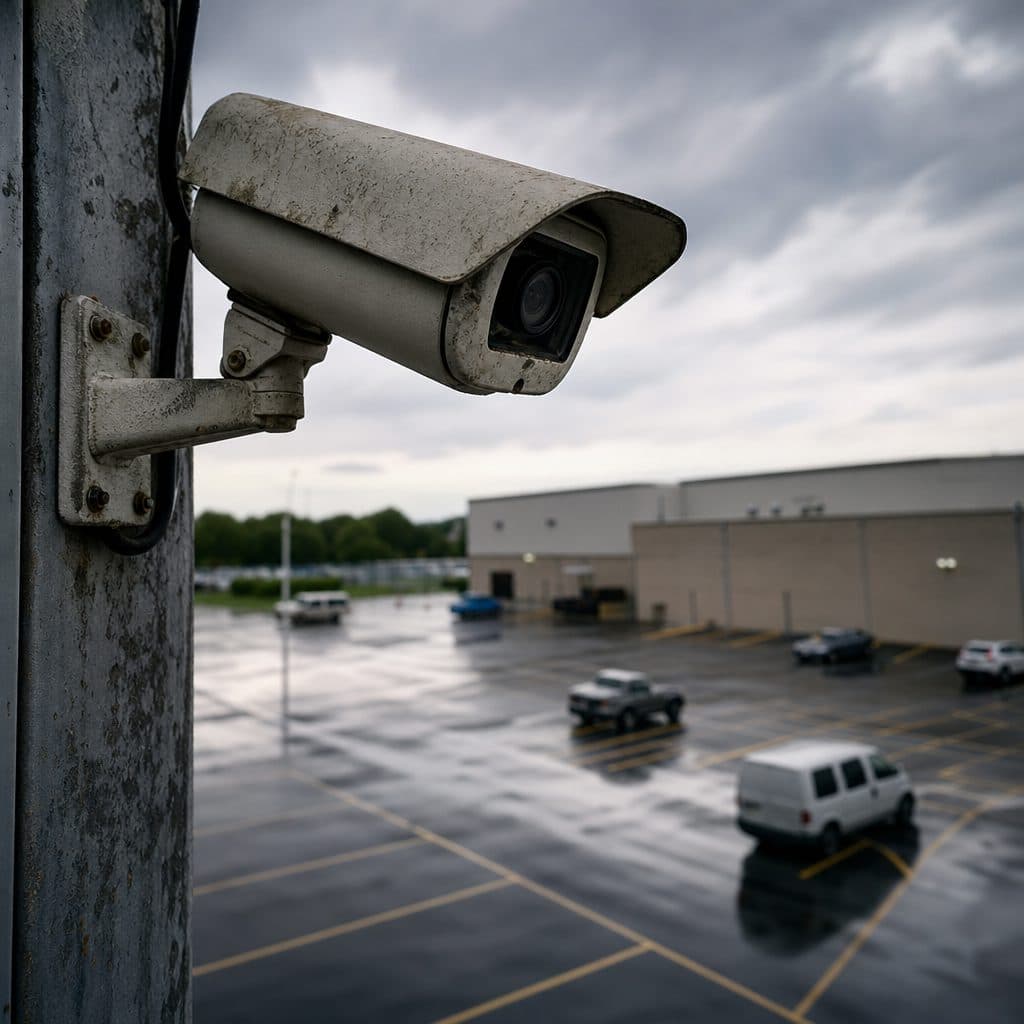
 Clear video evidence depends on reliable camera performance.
Why Aging Security Cameras Become a Business Risk
A commercial camera system is more than a collection of lenses and cables. It supports safety, operations, loss prevention, access control decisions, and employee accountability. When the system weakens, the risk is not only technical. It can affect response time, documentation quality, and confidence in your security program.
Older cameras often decline gradually. A lens becomes cloudy. Night images become grainy. A recorder accepts fewer days of footage. One camera drops offline, then reconnects, then fails again. Because the change is incremental, teams may adjust their expectations instead of addressing the root problem.
Replacement becomes the better choice when the system no longer supports your real security needs. If you cannot reliably see key entrances, transaction areas, parking lots, loading zones, or restricted spaces, the equipment is not doing its job. The right question is not whether the camera still powers on. The right question is whether the footage is useful when your business needs answers.
💡 Practical test: Review yesterday’s footage from your most important camera. If you cannot identify faces, license plates, actions, or timelines with reasonable confidence, the system deserves immediate attention.
1. Video Quality No Longer Supports Identification
Poor image quality is one of the clearest signs that replacement may be necessary. Blurry footage, washed-out faces, distorted colors, poor contrast, and low resolution can make recorded video nearly useless. This is especially important in entrances, cash-handling areas, inventory rooms, reception desks, and exterior approaches.
Some image problems come from dirt, loose focus, lighting changes, or incorrect settings. Those are worth checking first. However, if cleaning, refocusing, and adjusting camera settings do not restore useful video, the camera may be past its practical life.
Modern commercial cameras generally provide better resolution, wider dynamic range, improved low-light performance, and more flexible viewing angles than many older systems. That does not mean every business needs the highest available specification. It does mean your cameras should produce footage appropriate for the location. A wide warehouse overview has different requirements than a camera watching a point-of-sale terminal.
Recommended action
Choose three critical camera views and review recorded footage from daytime, nighttime, and high-traffic periods. Ask whether the image answers the questions your team would ask after an incident. If the answer is no, document the gap and prioritize those cameras for replacement.
2. Cameras Struggle in Low Light or High Contrast
Many incidents happen outside ideal lighting conditions. Parking lots, rear doors, hallways, storage areas, and loading docks may have shadows, glare, headlights, reflective surfaces, or fast changes between bright and dark areas. Older cameras often perform poorly in these environments.
Warning signs include faces turning into silhouettes near glass doors, license plates becoming unreadable under headlights, and dark corners disappearing into noise. If your team avoids using certain footage because it is too dark or too bright, the system is not covering that area effectively.
Replacement cameras may offer better infrared performance, improved sensors, or wide dynamic range capabilities. In some cases, adding or repositioning lighting is also part of the solution. A good upgrade plan looks at the full scene, not only the camera model.
Recommended action
Walk your property after sunset and during peak daylight glare. Compare what your eyes see with what the camera records. Mark locations where lighting conditions make identification unreliable, then decide whether the fix is camera replacement, lighting improvement, repositioning, or a combination.
 Older systems may miss important details in challenging conditions.
3. Cameras Frequently Disconnect, Freeze, or Reboot
Intermittent failure is frustrating because the system may appear normal during a quick check. A camera may freeze for minutes, drop offline overnight, or reboot during storms, heat, or network congestion. These gaps often remain unnoticed until someone searches for footage and finds missing time.
Connectivity problems can come from several sources: failing cameras, damaged cabling, unstable power, overloaded network equipment, recorder issues, or poor configuration. Replacement should not be your first guess, but repeated failures are a sign that the system needs professional evaluation.
If the same camera fails after cables, ports, power supplies, and settings have been checked, replacement is usually more practical than continued troubleshooting. For critical views, repeated downtime is unacceptable because it creates blind spots at unpredictable times.
Recommended action
Keep a simple log for two weeks. Record which cameras go offline, when they fail, how long they stay unavailable, and whether weather or business activity appears connected. This helps separate a single bad camera from a larger infrastructure problem.
4. Your Recorder or Storage Can No Longer Meet Business Needs
Sometimes the cameras are not the only weak point. The recorder, storage capacity, or video management software may be outdated. If your system keeps too few days of footage, overwrites important video too quickly, or makes exporting clips difficult, it may be time to upgrade the broader platform.
Retention needs vary by business, risk, and internal policy. A small office may need a different retention window than a distribution facility, medical office, school, retail location, or multi-tenant property. The key is whether your current system gives you enough time to discover, investigate, and preserve footage before it is overwritten.
Old recorders may also limit camera resolution, frame rate, remote access, search tools, and system expansion. Replacing cameras without evaluating the recorder can create compatibility problems or prevent you from receiving the full benefit of the upgrade.
| Storage Sign | What It May Mean | Best Next Step |
|---|---|---|
| Footage disappears too soon | Storage is undersized for current cameras | Review retention goals and storage capacity |
| Exports are slow or unreliable | Recorder or software may be outdated | Test export process before an urgent event |
| New cameras cannot be added | System has reached expansion limits | Plan recorder and network upgrade together |
5. The System Is Difficult to Use During Real Incidents
A security camera system should help your team act quickly. If staff struggle to search footage, switch views, export video, or access cameras remotely, the system may be too outdated or poorly designed for current operations.
Usability matters because incidents are stressful. Managers should not need to remember complicated steps to find a clip. Security staff should not waste time guessing which camera covers which door. Authorized users should be able to access the right footage without exposing the entire system to unnecessary risk.
Replacement may involve newer cameras, but it may also involve better video management software, clearer naming conventions, role-based access, mobile access, or improved monitor layouts. A usable system reduces delays and helps your business respond with confidence.
Recommended action
Run a mock incident. Ask a manager to find and export footage from a specific entrance at a specific time. If the process is confusing, slow, or dependent on one employee, include usability improvements in the replacement plan.
6. Your Business Has Changed, but Camera Coverage Has Not
Many camera systems were designed for a previous version of the business. Since installation, you may have added inventory, changed entrances, expanded parking, moved registers, remodeled offices, added outdoor storage, or changed operating hours. Cameras that once covered the right areas may now miss important activity.
This is a common reason to replace or expand equipment. The issue is not that the old system failed. The issue is that the business outgrew it. A camera watching an old reception counter may not help if visitors now enter through another door. A warehouse camera installed before racking changes may now show only shelving.
Coverage reviews should happen after renovations, tenancy changes, staffing changes, repeated incidents, or new compliance expectations. Assumption: if your system has not been reviewed in several years, there are likely coverage gaps worth checking, even if every camera still works.
Recommended action
Print or sketch a simple floor plan and mark each current camera view. Then mark high-value assets, entrances, transaction points, blind corners, and after-hours routes. Any mismatch between business risk and camera coverage is a candidate for replacement, relocation, or expansion.
7. Repairs Are Becoming Frequent or Expensive
Occasional service is normal. Frequent service is a warning sign. If you are repeatedly replacing power supplies, resetting cameras, troubleshooting the same recorder, or paying for labor to keep outdated equipment alive, replacement may be the more responsible investment.
The decision should consider more than the repair invoice. Include downtime, staff frustration, missed footage, emergency service calls, and the risk of failure during a serious incident. An older system that appears cheaper on paper may cost more in operational disruption.
A practical replacement plan can be phased. You do not always need to replace every camera at once. Critical exterior cameras, entrances, cash areas, and high-value storage locations usually deserve priority. Less critical overview cameras may wait until the next budget cycle if they still perform adequately.
Replacement Options to Consider
The right solution depends on your building, network, risk profile, and budget. Avoid choosing equipment based only on a single specification. A commercial camera system works best when cameras, storage, network, placement, lighting, and user access are designed together.
Replace Only Failed Cameras
Best when the overall system is modern, compatible, and meeting retention goals. Confirm that new cameras work properly with the existing recorder.
Upgrade Recorder and Storage
Best when footage retention, search, export, or expansion is the main problem. This can unlock better performance from newer cameras.
Redesign the Camera Layout
Best when business operations have changed. Placement, angle, lens selection, and lighting often matter as much as resolution.
Step-by-Step Camera Replacement Checklist
Use this checklist before approving a replacement project. It keeps the conversation focused on business outcomes instead of equipment names alone.
- Identify critical views. List entrances, exits, registers, reception areas, parking lots, loading docks, storage rooms, and restricted areas.
- Review actual footage. Check recorded video from normal hours, after hours, low light, and high activity.
- Document failures. Note blurry images, missing footage, offline cameras, poor night views, and export problems.
- Confirm infrastructure. Evaluate cabling, power, network switches, recorder capacity, and remote access requirements.
- Prioritize by risk. Replace cameras protecting people, cash, inventory, and access points before lower-risk overview views.
- Plan installation timing. Schedule work to avoid leaving sensitive areas uncovered during business hours or overnight.
- Test before signoff. Verify image quality, retention, alerts, user access, mobile viewing, and clip export before considering the project complete.
Risks and Mistakes to Avoid
The biggest mistake is replacing hardware without diagnosing the problem. A blurry image may come from a dirty dome, bad angle, poor lighting, or low-quality camera. An offline camera may be caused by a network issue rather than the camera itself. Start with evidence before spending money.
Another mistake is focusing only on resolution. Higher resolution can help, but it also affects storage, bandwidth, and recorder compatibility. A well-placed, properly lit camera with the right lens may outperform a higher-resolution camera installed in the wrong location.
Businesses should also avoid weak access practices. Do not share one login across the entire team. Do not leave remote access unmanaged. Do not forget to remove access for former employees or vendors. Replacement is a good time to clean up permissions and improve accountability.
If you discover that your current system has already missed an important event, recover by preserving any available footage immediately, documenting the gap, and prioritizing the affected view. Treat the incident as a design lesson rather than only a technical failure.
Short Decision Framework
Replace a commercial security camera when it no longer provides useful evidence, fails repeatedly, cannot handle the lighting conditions, or no longer covers the way your business operates. Consider replacing the recorder or software when footage retention, search, export, remote access, or expansion is the limiting factor.
Repair may be enough when the issue is isolated, inexpensive, and clearly caused by cleaning, focus, cabling, power, or configuration. Replacement is the better path when problems are recurring, business-critical, or tied to outdated equipment that cannot support current needs.
The most practical approach is to rank cameras by risk, confirm the cause of each problem, and upgrade in a planned sequence. That gives your business better coverage without unnecessary disruption.
Need a Professional Camera System Review?
Security & Life Integrations can help evaluate your current cameras, identify weak points, and plan a practical replacement strategy for your facility.
Request a Camera Assessment